
 Book a migration call
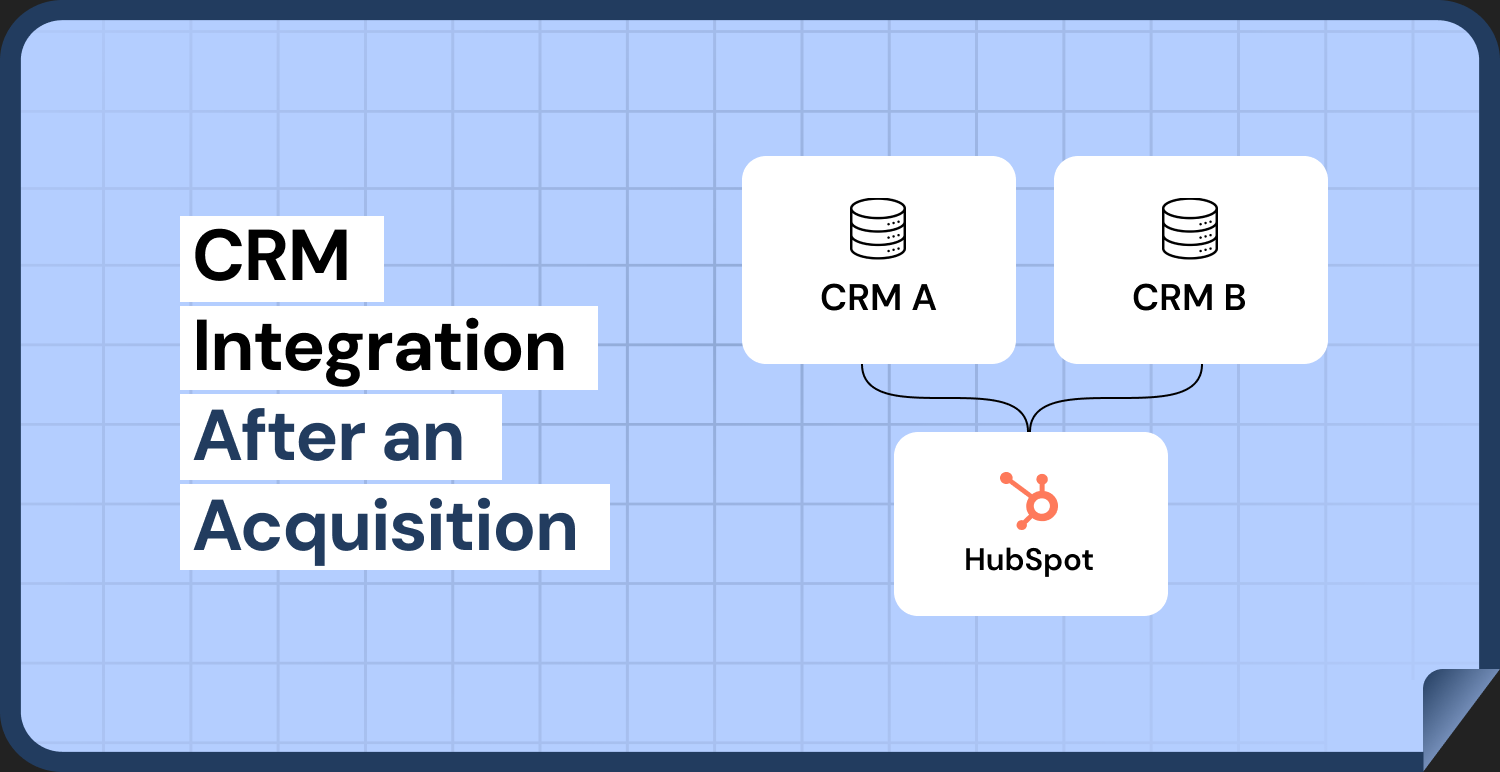

The deal closes, and the next morning two sales teams are calling on some of the same customers from two different CRMs. Each system has its own account names, owners, pipeline stages, and history. Leadership wants one view of the combined customer base, finance wants one revenue number, and nobody wants to lose a deal while the systems are joined. That is the starting point for almost every CRM migration after acquisition.
A CRM migration after an acquisition is a migration with politics, overlap, and a deadline attached, and that is what separates M&A data migration from an ordinary platform switch. This guide covers how to assess the landscape, set goals and ownership, choose the system of record, reconcile customers, map products and sales processes, keep integrations and reporting running, sequence the waves, manage access and communication, and check the result. It also shows where SuprSwitch, SuprDense’s CRM migration platform, fits into the work.
Assess the CRM Landscape After Acquisition
Start with an honest picture of both sides before anyone promises a date. A post-merger CRM integration usually involves more than two databases: each company brings its CRM plus the tools wired into it.
For each CRM, document:
- Platform and plan: Which CRM, which edition or subscription, and when the contract renews.
- Objects and data model: Standard objects in use, custom objects, custom fields, and pipelines.
- Users and owners: Active users, inactive users who still own records, and teams.
- Integrations: Marketing, billing, support, ERP, data warehouse, and any custom connections.
- Automation: Workflows, assignment rules, and sequences the business depends on.
- Reporting: The reports and dashboards each leadership team uses every week.
- Data quality: Duplicates, records missing email or domain, and fields nobody uses.
Then look at the overlap. Export contact emails and company domains from both systems and compare them. The share of shared customers tells you how much reconciliation work lies ahead, and which account teams will need rules before anyone migrates a record.
SuprSwitch’s Schema Analysis phase gives you much of this picture for each source. It scans the CRM and surfaces every custom field, record count, and property type, and flags duplicates, empty required fields, and broken associations before any data moves.
Set Integration Goals and Ownership
An acquisition creates pressure to move fast, but speed without agreed goals produces a merged CRM that pleases nobody. Write down what the integration must achieve and in what order.
Typical goals include:
- One customer view: Every team can see every relationship with a shared customer.
- One revenue number: Pipeline and bookings reconcile across the combined business.
- Continuity: No team loses the ability to sell, serve, or report during the transition.
- Cost: Retire one CRM and its connected tools by an agreed date.
Then assign ownership. Name an executive sponsor who makes final calls, a data owner for each domain (accounts and contacts, opportunities, support history, marketing consent), a system owner for the target CRM, and an integration lead who runs the plan. Include someone from each company in every role where you can. Integration decisions made only by the acquirer tend to be resisted by the acquired team, and the reverse is also true.
Bring legal and compliance in early. Consent, contracts, and data processing terms attached to the acquired company’s customers may affect what can be merged and how it can be used.
Choose the System of Record
The system of record is the CRM that will hold the truth after integration. Choosing it is a business decision, not a technical one, and it is best made early so teams stop investing in the system that will be retired.
Weigh these factors:
| Factor | Questions to ask |
|---|---|
| Fit | Which CRM supports the combined sales, marketing, and service processes better? |
| Adoption | Which system do more users rely on daily, and which team will find the change harder? |
| Integrations | Which CRM is connected to the systems the combined business will keep? |
| Data model | Which one can hold both companies’ data without heavy workarounds? |
| Cost and contracts | When do licenses renew, and what does each option cost over time? |
| Capability | Does the target plan support the features you need, such as custom objects or team-based access? |
Sometimes the answer is neither, and both companies move into a new instance. That was the case in SuprDense’s CRM consolidation case study, where a prop-tech scale-up consolidated its own Salesforce org and the long-running HubSpot portal of the business it acquired into a new HubSpot instance, which then became the single operating platform for both.
Whatever you choose, decide which system wins for each type of field as well. The billing system may win on legal name and address, and the sales system on owner and stage.
Reconcile Customer and Account Data
Shared customers are the heart of customer data integration after a merger. The same company may exist in both CRMs with different names, owners, domains, and histories. Reconciling them is where most of the effort and most of the risk sits.
Set the rules before loading anything:
- Matching: Match companies on a stable identifier such as a domain or an internal reference ID, and contacts on email, including secondary emails. HubSpot deduplicates contacts by email and companies by domain on import, but records without those values need their own rule.
- Survivorship: Decide which value wins when two records disagree. A common rule is that values already in the target system win, and the other system fills only blank fields.
- Conflicts: Send records with conflicting key values to a review queue instead of guessing.
- Ownership: Agree who owns a shared account. Typical rules are the owner of the largest open deal, a named account owner, or a territory rule.
Be careful with merges after loading. HubSpot states that merged records cannot be reverted, so a wrong match is expensive to undo.
The consolidation project above shows what disciplined rules look like in practice. According to the case study, companies were matched on reference IDs, values already in the new portal were kept while legacy data filled only blank fields, conflicting records were skipped for review, and contacts were matched across primary and secondary email addresses. SuprSwitch applied those rules during the migration, so identity was settled before records reached HubSpot.
Map Products, Territories, and Sales Processes
Two companies rarely sell the same way. Before mapping a single field, agree how the combined business will sell, then map both systems to that design.
- Products: Combine product catalogs, decide how overlapping products are named and priced, and map historical line items to the new catalog or keep them as historical values.
- Pipelines: Decide whether the companies share one pipeline with agreed stage definitions or keep separate pipelines for different sales motions. Map every source stage to a target stage.
- Lifecycle stages: Agree one definition of a lead, a qualified lead, an opportunity, and a customer.
- Territories and segments: Merge territory models and decide how accounts move between reps.
- Picklists: Build one list of values for fields such as industry, region, and lead source, and map each source value to it.
If teams need to keep some separation, plan for it explicitly. On Professional and Enterprise subscriptions, HubSpot lets you limit users’ access to their own team’s records, and its Brands add-on for Marketing Hub Enterprise lets one account run several distinct brands, with a contact able to belong to more than one brand.
SuprSwitch’s Mapping Logic phase is where these decisions become rules. Each source is mapped to the same HubSpot objects and properties, several pipelines and their stages can be merged into one, and any property or custom object the design needs can be created from SuprSwitch in a single click.
Plan Integrations and Reporting Continuity
The CRM is connected to everything else, so the integration plan has to cover the tools around it.
List every connection in both companies and decide for each one whether it is reconnected to the system of record, replaced, or retired. Pay attention to record identifiers. Records get new IDs in the target CRM, so any system that stores the old ID needs a mapping, and a property that holds each record’s source ID is worth creating for that reason alone. If you plan to run a sync between the two CRMs during the transition, check its limits. HubSpot’s Salesforce integration, for example, connects only one Salesforce instance per HubSpot account.
Reporting needs continuity too. Leadership will compare the combined numbers with what each company reported before the deal. Save a baseline of key reports from both systems before migration, rebuild them in the target CRM on agreed definitions, and keep a log of every difference and its cause.
Sequence Migration Waves
Consolidating two CRMs in one cutover is rarely wise. Waves reduce risk and give teams time to adjust.
A typical sequence:
- Wave one, foundation: Users, owners, products, and the agreed data model in the target CRM.
- Wave two, companies and contacts: Accounts and people from both systems, with matching rules applied.
- Wave three, deals and pipelines: Open opportunities first, then closed history.
- Wave four, activities and history: Notes, calls, emails, meetings, and tasks, attached to the right records.
- Final delta: A last load of records created or changed since the main run, during a short freeze.
Load in dependency order, so parent records exist before the records that refer to them, and hold back any record whose required parent cannot be found. Pause automation in the target CRM during loads so customers are not emailed and records are not reassigned halfway through.
SuprSwitch fits this pattern. Its Pilot Validation phase tests the rules on a representative sample, every record is validated in real time during Final Execution, a built-in retry mechanism handles failures without halting the migration, and delta migration moves only what changed since the main run. Its no-storage architecture means data from both companies moves directly to the target CRM without being held on SuprSwitch servers. If you would rather hand the whole move to a team, SuprDense’s CRM migration services cover moves from common source CRMs into HubSpot and Salesforce.
Manage Access and Change Communication
People decide whether a post-merger CRM integration succeeds. The acquired team may be losing a system they know well, and both teams may be anxious about who owns which customers.
- Access: Create users and permissions in the target CRM before each wave, and decide how long users keep access to the old system, ideally read-only.
- Ownership changes: Tell reps in advance which accounts they will own and why, especially for shared customers.
- Training: Train each team on the daily tasks that change for them, not on the whole platform.
- Communication: Share the calendar, what changes in each wave, and who to contact with problems.
- Feedback: Give users a way to report issues and see that they are fixed.
Expect questions about fairness. Clear, written rules for ownership and data decisions do more for adoption than any training session.
Post-Migration Integration Checklist
Use this list after each wave and before you retire the old CRM.
| Area | Check |
|---|---|
| Counts | Records per object reconcile with both sources, minus merges and agreed exclusions |
| Duplicates | No unexpected duplicates on email, domain, or source ID |
| Shared customers | Merged accounts follow the survivorship and ownership rules |
| Associations | Contacts, companies, deals, and activities are linked as they were in the sources |
| Owners | Every record has the agreed owner, including records from former employees |
| Products and pipelines | Products, stages, and lifecycle values match the agreed design |
| Integrations | Every kept connection points at the system of record and syncs without errors |
| Reports | Key reports reconcile with the pre-migration baseline, with differences explained |
| Access | Users have the right permissions, and old-system access is read-only or removed |
| Retirement | The old CRM is archived and retired on the agreed date |
Conclusion
A CRM migration after an acquisition comes down to a handful of decisions made early and written down: the goals and who owns them, the system of record, the rules for matching and merging shared customers, the combined sales process, and the order in which data and teams move. With those in place, the migration itself becomes a controlled sequence instead of a scramble.
Start with the overlap analysis, because it shows how much reconciliation lies ahead and which teams need to agree first. SuprSwitch is built for this kind of consolidation, from Schema Analysis across both sources to validated execution and delta runs.
Frequently Asked Questions
01 How soon should CRM systems be consolidated after an acquisition?
As soon as the goals, system of record, and ownership rules are agreed, but not before. Rushing a migration before those decisions are made usually means migrating twice. Many teams run a planned transition period with read-only access to the old system while waves are completed.
02 How do you choose a system of record?
Compare the CRMs on fit with the combined sales process, user adoption, integrations, data model, cost and contract dates, and the features you need. It is a business decision, and sometimes the best answer is a new instance that neither company used before.
03 How should duplicate customer records be resolved?
With rules agreed before loading. Match on stable identifiers such as domain, email, or a reference ID, decide which values win when records disagree, send conflicts to human review, and agree who owns shared accounts. Avoid merging in the target CRM afterwards where possible, because HubSpot does not let you revert a merge.
04 Can both CRMs run in parallel during integration?
Yes, for a defined period. Keep one system as the source of truth for each object, limit who can edit the system being retired, and set an end date. Running both indefinitely creates conflicting data and double entry.
05 What data should be migrated first?
Users, owners, and the agreed data model first, then companies and contacts with matching rules, then open deals, then historical deals and activities. Finish with a delta load of anything that changed since the main run.
Manual migrations cost more than engineer hours.
Skip the QA cycles, data cleanup, and errors found weeks after go-live. SuprSwitch runs the full migration in 3-4 days, validated record by record.